






Q:
What are the best office blinds for my home office?
A:
Look for light-filtering roller shades or cellular shades. They soften daylight without darkening the room, helping prevent monitor glare while keeping text legible. For east/west-facing windows, consider solar roller fabrics with an openness of 3–5% to cut glare and preserve outside view.Q: How do I keep video calls private without working in the dark?
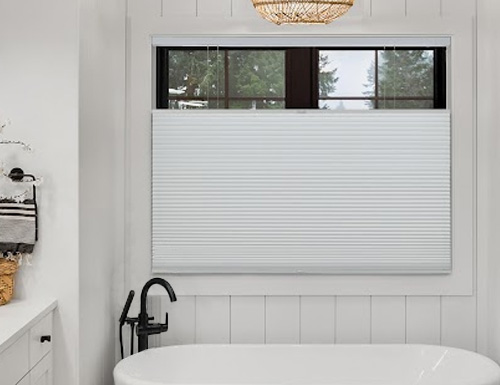
A: Top-Down/Bottom-Up cellular shades are ideal. Lower the top to admit sky light while the bottom stays covered for privacy at desk height. If you prefer blinds, choose faux wood slats and tilt them slightly upward to block sightlines from outside cameras.
Q: What’s the quietest option for a shared home office?
A: Fabrics absorb sound better than hard slats. Cellular (honeycomb) shades help reduce echo and soften background noise—useful on calls. Pairing them with drapery increases noise dampening and improves acoustics.
Q: Are cordless or motorized lifts worth it for a home office?
A: Yes. Cordless keeps the window area clean on camera and removes dangling cords. Motorized shades let you adjust light quietly during meetings (or set scenes on a schedule).
Q: I need occasional blackout for presentations—what should I pick?
A: Choose dual “day & night” cellular shades (light filtering + blackout in one), or add a blackout roller behind a light-filtering treatment for flexible control.
Q: Which finishes look professional on Zoom?
A: Matte, neutral tones (white, warm gray, oatmeal) reduce moiré on camera and keep focus on you. Avoid shiny slats that reflect ring lights; textured fabrics photograph best.
Q: Quick picks for the best home office blinds?
- Light-Filtering Roller Shades: clean look, excellent glare control.
- Cellular Shades (Top-Down/Bottom-Up): privacy + daylight + insulation.
- Solar Shades (3–5%): manage glare while keeping the view.
- Faux Wood Blinds: precise tilt control; budget-friendly and low-maintenance.
- Motorized Options: quiet adjustments during calls; scene scheduling.
Ready to compare styles?
Explore our full selection of workplace solutions on the Office Window Treatments page for curated products, lift systems, and professional finishes.